
 EN
EN
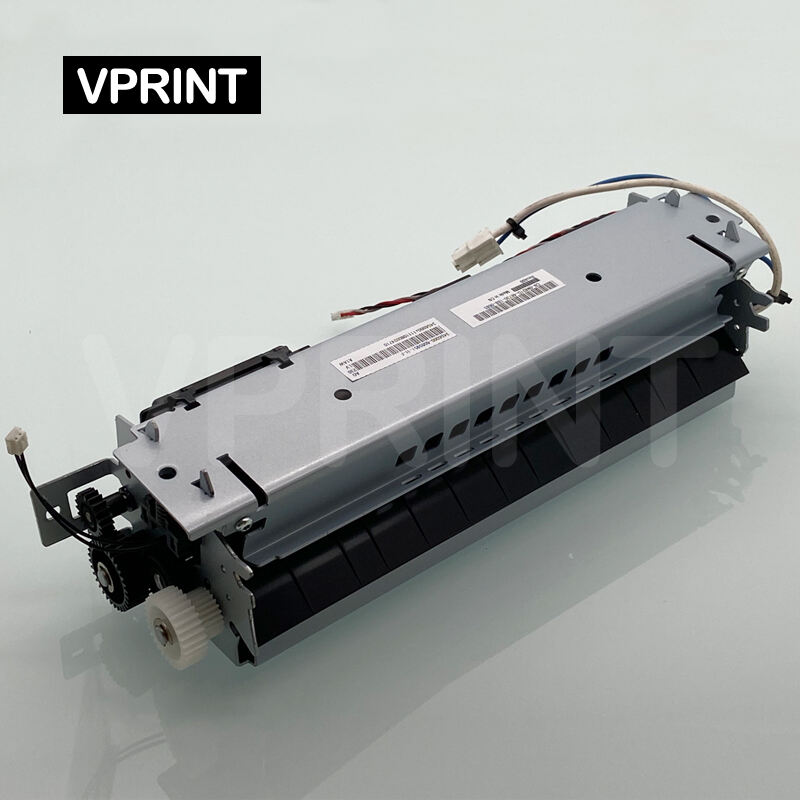
Understanding Lexmark Printer Fuser Problems and Their Impact on Print Quality
When it comes to maintaining optimal print quality in Lexmark printers, the fuser unit plays a crucial role. This essential component is responsible for permanently bonding toner to paper through heat and pressure. Many businesses and home users encounter Lexmark fuser issues that can significantly impact their printing operations and output quality. Understanding these common problems and their solutions is vital for maintaining printer performance and avoiding costly repairs.
The fuser assembly consists of multiple components working together, including heating elements, pressure rollers, and thermistors. When any of these parts malfunction, it can lead to various print quality issues and paper handling problems. Let's explore the most frequent Lexmark fuser issues and learn how to address them effectively.
Common Fuser Unit Problems and Their Symptoms
Wrinkled Pages and Paper Jams
One of the most frustrating Lexmark fuser issues occurs when pages emerge from the printer with wrinkles or consistent creasing. This problem often stems from worn-out pressure rollers or misaligned fuser components. When the pressure rollers deteriorate, they fail to maintain consistent pressure across the page, resulting in uneven paper feeding and wrinkled output.
Paper jams are another common symptom of fuser problems. As paper passes through a malfunctioning fuser unit, it may stick to the rollers or become misaligned, leading to frequent paper jams. This not only disrupts workflow but can also cause additional damage to the printer if not addressed promptly.
Toner Not Fusing Properly
When toner fails to fuse correctly to the paper, it results in prints that smear easily or have a powdery appearance. This issue typically occurs when the fuser unit isn't reaching the proper temperature or maintaining consistent heat. The problem may be caused by a faulty heating element, damaged thermistor, or problems with the printer's power supply.
Users might notice toner flaking off the page or leaving marks on subsequent prints. This not only affects document quality but can also create mess and potential health concerns if loose toner particles become airborne.
Diagnostic Steps and Maintenance Procedures
Initial Troubleshooting Methods
Before attempting any repairs, it's essential to properly diagnose Lexmark fuser issues. Start by checking the printer's error messages and maintenance logs. Many Lexmark models provide specific error codes that can help identify fuser-related problems. Document any patterns in print quality issues or paper handling problems you observe.
Perform a visual inspection of the fuser unit, looking for signs of wear, damage, or debris accumulation. Check for proper installation and alignment, as sometimes fuser problems can result from incorrect reassembly after maintenance.
Preventive Maintenance Techniques
Regular maintenance can prevent many common Lexmark fuser issues from developing. Implement a scheduled cleaning routine for the fuser unit, being careful to follow manufacturer guidelines for proper cleaning methods and materials. Pay special attention to the pressure rollers and heating elements, as these components are most susceptible to wear and contamination.
Monitor the printer's maintenance counters and replace the fuser unit according to manufacturer recommendations. This proactive approach can help avoid unexpected failures and maintain consistent print quality.
Professional Repair Solutions and Replacements
When to Replace the Fuser Unit
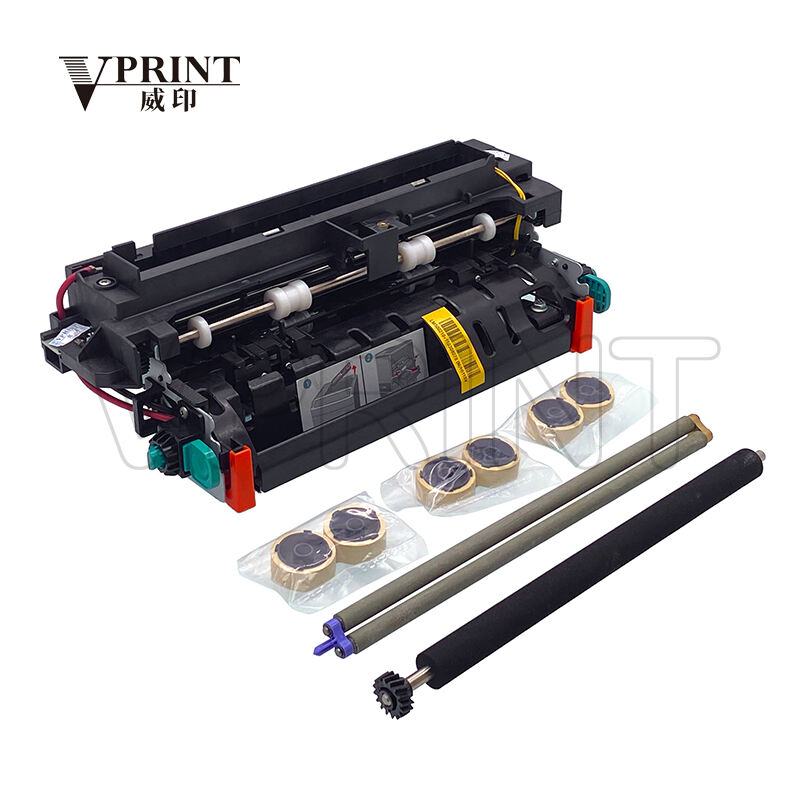
While some Lexmark fuser issues can be resolved through maintenance and minor repairs, certain situations require complete unit replacement. Signs that indicate the need for replacement include persistent paper jams despite cleaning, consistent print quality problems, or physical damage to fuser components. Most fuser units have an expected lifetime measured in page counts, and replacement may be necessary once this limit is reached.
Consider the printer's age and overall condition when deciding between repair and replacement. For older models, investing in a new fuser unit might not be cost-effective compared to upgrading to a newer printer with improved technology and efficiency.
Professional Service Options
For complex Lexmark fuser issues or when in-house maintenance isn't feasible, professional repair services offer expert solutions. Certified technicians have access to specialized tools and genuine replacement parts, ensuring proper repair and optimal performance. They can also provide valuable advice on preventing future problems and maintaining print quality.
When selecting a service provider, look for technicians with specific experience in Lexmark printer repair and certification from the manufacturer. This expertise ensures that repairs meet factory specifications and maintain warranty coverage where applicable.
Prevention and Best Practices
Optimal Operating Environment
Creating the right environment for your Lexmark printer can significantly reduce fuser issues. Maintain proper temperature and humidity levels in the printer area, as extreme conditions can affect fuser performance. Ensure adequate ventilation and avoid placing the printer in locations subject to temperature fluctuations or direct sunlight.
Use only recommended paper types and weights to prevent unnecessary stress on the fuser unit. Improper media can cause excessive wear and lead to premature failure of fuser components.
Regular Monitoring and Documentation
Implement a system for tracking printer performance and maintaining detailed maintenance records. Monitor print quality regularly and document any changes or irregularities. This information can help identify patterns and potential problems before they become serious issues requiring costly repairs.
Keep a log of maintenance activities, including cleaning sessions, part replacements, and any professional service visits. This documentation can be valuable for warranty claims and planning future maintenance schedules.
Frequently Asked Questions
How long should a Lexmark fuser unit typically last?
A Lexmark fuser unit typically lasts between 100,000 to 200,000 pages, depending on the printer model and usage patterns. However, factors such as paper type, print volume, and environmental conditions can significantly impact its lifespan.
Can I clean the fuser unit myself?
Yes, basic cleaning of the fuser unit can be performed by users following proper safety procedures. However, always ensure the printer is powered off and the fuser has cooled completely before attempting any maintenance. Use only recommended cleaning materials and methods specified in your printer's manual.
What causes repeated paper jams in the fuser area?
Repeated paper jams near the fuser often indicate worn pressure rollers, accumulated debris, or misalignment of the fuser unit. Regular cleaning, proper paper handling, and timely replacement of worn components can help prevent these issues.
When should I call a professional for fuser problems?
Contact a professional technician if you experience persistent print quality issues despite basic maintenance, if there are unusual noises or burning smells from the fuser area, or if you notice physical damage to fuser components. Professional intervention is also recommended when dealing with complex error codes or if your printer is under warranty.