
 EN
EN
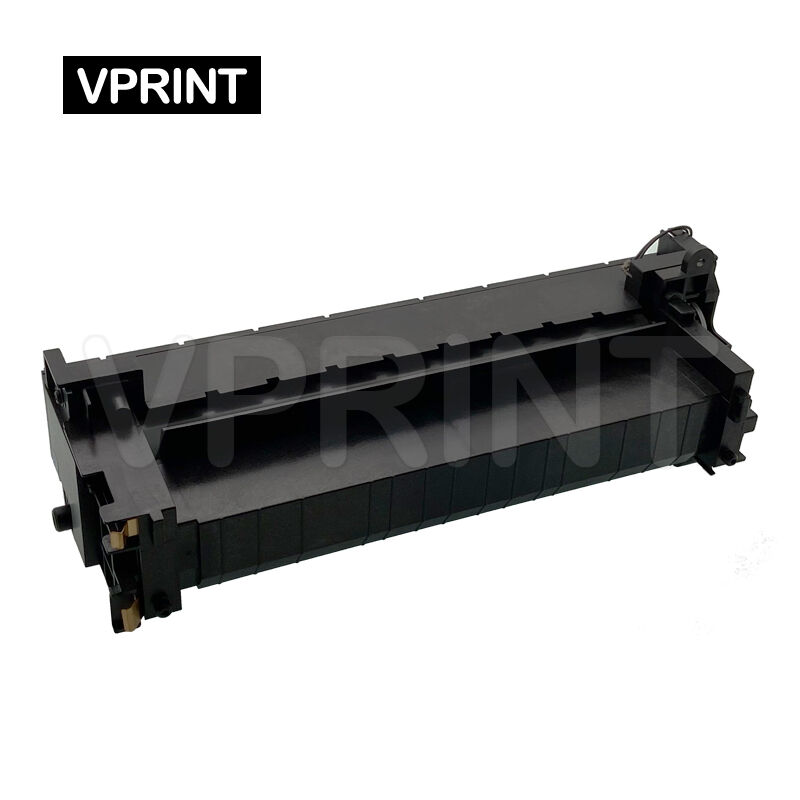
Paper jams are among the most frustrating printer issues that plague office environments and home offices alike. When your HP LaserJet printer suddenly starts experiencing frequent paper jams, the culprit might not be what you initially suspect. While many users immediately blame paper quality or loading errors, a faulty HP fuser often serves as the underlying cause of persistent jamming problems. Understanding the relationship between fuser functionality and paper flow mechanics can save you countless hours of troubleshooting and prevent costly service calls.
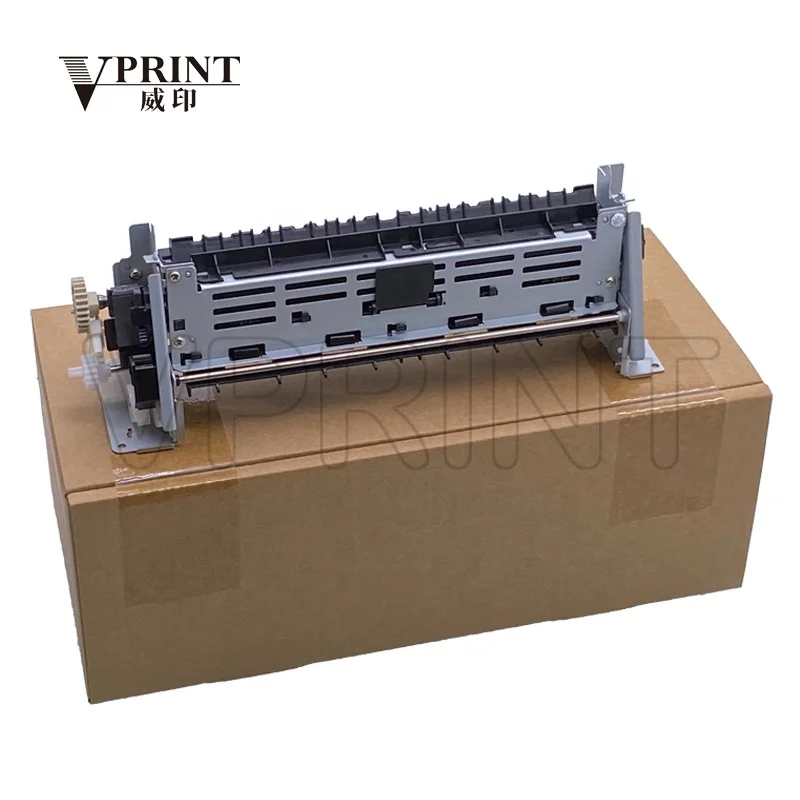
The HP fuser assembly plays a critical role in the laser printing process, functioning as the component responsible for permanently bonding toner particles to paper through precise heat and pressure application. When this essential component begins to deteriorate or malfunction, it creates a cascade of printing problems that extend far beyond simple toner adhesion issues. A failing HP fuser can disrupt the entire paper path mechanism, leading to various jamming scenarios that range from minor feed interruptions to complete paper blockages that require manual intervention.
Understanding HP Fuser Assembly Components and Operation
Primary Fuser Elements and Their Functions
The HP fuser assembly consists of several interconnected components that work together to complete the printing process. The heating roller, typically containing a halogen lamp or ceramic heating element, generates the precise temperature required to melt toner particles onto paper surfaces. The pressure roller applies consistent force against the heating roller, creating the necessary pressure differential that ensures proper toner bonding while maintaining smooth paper transport through the fuser unit.
Temperature sensors and thermistors continuously monitor fuser heat levels, providing feedback to the printer's control system to maintain optimal operating conditions. When these sensors malfunction or provide inaccurate readings, the HP fuser may operate at incorrect temperatures, causing toner to either insufficiently bond or create excessive heat that damages paper surfaces. This temperature instability often manifests as paper curling, wrinkling, or jamming as sheets attempt to navigate through the compromised fuser assembly.
Paper Transport Mechanisms Within the Fuser
Effective paper transport through the HP fuser requires precise coordination between multiple mechanical elements. Guide plates and paper sensors ensure proper sheet alignment as documents enter the fuser assembly, while exit rollers maintain consistent paper speed to prevent accordion-style folding or bunching. When any of these transport components wear down or become misaligned, paper jams become increasingly common as sheets fail to maintain their intended path through the printing mechanism.
The fuser's paper path design incorporates specific curves and angles that accommodate various paper weights and sizes. A deteriorating HP fuser may develop rough surfaces, worn roller coatings, or damaged guide plates that create friction points or catching areas where paper can snag. These mechanical imperfections transform what should be smooth paper transport into a jamming-prone process that disrupts normal printing operations and requires frequent manual clearing.
Common Fuser-Related Paper Jam Symptoms
Heat-Related Jamming Patterns
Temperature-related issues within the HP fuser create distinctive jamming patterns that experienced technicians can readily identify. Overheating conditions cause paper to become overly dry and brittle, making sheets more susceptible to tearing or fragmenting as they pass through the fuser assembly. Conversely, insufficient heating prevents proper toner melting, causing partially fused toner particles to create sticky surfaces that grab onto subsequent sheets and generate multi-sheet feeding problems.
Thermal cycling inconsistencies in a failing HP fuser can produce intermittent jamming episodes that seem random to users but follow predictable patterns based on temperature fluctuations. During warm-up periods, cold fusers may jam more frequently until reaching operating temperature, while overheating units might function normally initially but begin jamming as internal temperatures exceed optimal ranges. These thermal-induced jams often clear themselves once temperature conditions stabilize, leading users to dismiss them as isolated incidents rather than symptoms of fuser degradation.
Mechanical Wear Indicators
Physical deterioration of HP fuser components manifests through specific jamming behaviors that indicate mechanical failure rather than operational errors. Worn pressure roller surfaces create uneven pressure distribution, causing paper to wrinkle or fold as it passes through the nip area between rollers. These wrinkles and folds then catch on downstream components, creating paper jams that require manual intervention to clear properly.
Bearing wear within the fuser assembly can cause roller misalignment, creating gaps or pressure variations that allow paper to deviate from its intended path. When rollers operate at different speeds due to mechanical wear, paper can stretch, tear, or bunch up within the HP fuser housing. This type of mechanical failure typically produces consistent jamming locations and may be accompanied by unusual noises such as grinding, squeaking, or clicking sounds that indicate internal component friction or misalignment.
Diagnostic Techniques for Fuser-Induced Paper Jams
Visual Inspection Methods
Proper diagnostic evaluation of HP fuser-related paper jams begins with systematic visual inspection of both the fuser assembly and jammed paper remnants. Examining torn paper pieces can reveal important clues about jam causation, as clean tears typically indicate mechanical catching points while ragged or burned edges suggest temperature-related problems. The location where paper consistently jams within the printer provides additional diagnostic information about which specific fuser components may be failing.
Roller surface examination requires careful attention to coating condition, surface texture, and any visible damage or wear patterns. A healthy HP fuser should display smooth, evenly coated roller surfaces without scratches, gouges, or areas of missing coating material. Discoloration patterns on roller surfaces often indicate overheating conditions or chemical degradation that can contribute to paper jamming problems. Additionally, checking for proper roller gap consistency helps identify alignment issues that may cause paper transport difficulties.
Performance Testing Procedures
Systematic testing protocols help isolate HP fuser problems from other potential jam causes within the printer mechanism. Running test prints with various paper weights and sizes can reveal specific conditions that trigger fuser-related jams, such as jamming only with heavier paper stocks or problems that occur exclusively during high-volume printing sessions. Temperature monitoring during extended printing runs helps identify thermal cycling problems that may not be apparent during brief diagnostic procedures.
Print quality analysis provides additional diagnostic information about fuser condition and its potential role in paper jamming incidents. Poor toner adhesion, uneven gloss patterns, or temperature-related print defects often accompany fuser assemblies that are beginning to cause paper transport problems. The HP fuser replacement should be considered when multiple symptoms indicate declining performance that affects both print quality and paper handling reliability.
Fuser Maintenance and Preventive Measures
Regular Cleaning Protocols
Preventive maintenance of the HP fuser assembly significantly reduces the likelihood of jamming problems while extending component lifespan and maintaining consistent print quality. Regular cleaning removes accumulated toner residue, paper dust, and other contaminants that can interfere with proper roller function and paper transport mechanisms. Using appropriate cleaning materials and techniques prevents damage to sensitive fuser surfaces while ensuring thorough contamination removal from all accessible components.
Cleaning frequency should correlate with printing volume and environmental conditions, as dusty environments or high-volume printing operations require more frequent maintenance interventions. The HP fuser cleaning process involves both external surface cleaning and internal component maintenance, including roller surface treatment and removal of debris from paper path areas. Proper cleaning technique requires understanding of which components can be safely accessed and cleaned without risking damage to temperature sensors, heating elements, or pressure mechanisms.
Environmental Considerations
Environmental factors significantly impact HP fuser performance and longevity, with temperature and humidity variations affecting both component reliability and paper handling characteristics. Extreme temperature fluctuations can cause thermal cycling stress that accelerates fuser component wear, while high humidity levels may cause paper to absorb moisture and become more prone to jamming during the fusing process. Maintaining stable environmental conditions helps ensure consistent fuser operation and reduces the likelihood of environment-related paper jams.
Proper ventilation around printer equipment prevents heat buildup that can affect HP fuser cooling systems and contribute to overheating conditions. Dust control measures, including regular cleaning of air intake areas and surrounding surfaces, prevent contamination buildup that can interfere with fuser sensors and mechanical components. Additionally, using appropriate paper storage methods maintains optimal paper condition and reduces the likelihood of moisture-related feeding problems that can exacerbate fuser-induced jamming issues.
Replacement Considerations and Solutions
When to Replace the HP Fuser
Determining the appropriate timing for HP fuser replacement requires evaluation of multiple performance indicators beyond simple paper jamming frequency. Age-related deterioration typically becomes apparent through declining print quality, increased warm-up times, and progressive increases in jamming incidents that correlate with fuser component wear. Cost-benefit analysis comparing repair expenses against replacement costs often favors fuser replacement when multiple symptoms indicate comprehensive component failure rather than isolated problems.
Print volume tracking helps establish fuser replacement schedules based on manufacturer recommendations and observed performance degradation patterns. High-volume printing environments may require more frequent HP fuser replacement due to accelerated component wear, while lower-volume applications might achieve longer service intervals with proper maintenance. However, calendar-based replacement considerations should also account for age-related deterioration that occurs regardless of usage patterns, particularly in components containing rubber or plastic materials that degrade over time.
Professional Service Versus DIY Replacement
HP fuser replacement complexity varies significantly between different printer models, with some units designed for user-replaceable components while others require professional service intervention. Technical skill requirements, available tools, and warranty considerations should influence the decision between professional service and self-service replacement options. Professional technicians possess specialized knowledge about calibration procedures, safety protocols, and quality testing that ensures proper HP fuser installation and optimal post-replacement performance.
Cost considerations extend beyond simple component pricing to include labor expenses, potential warranty implications, and the risk of damage during improper installation procedures. Professional service typically includes comprehensive testing, calibration adjustments, and warranty coverage that provides additional value compared to component-only replacement costs. However, experienced users with appropriate technical skills and tools may successfully perform HP fuser replacement while maintaining cost-effectiveness and minimizing equipment downtime.
FAQ
How can I tell if my HP fuser is causing paper jams rather than other printer components?
HP fuser-related paper jams typically occur consistently in the same location within the printer and often coincide with print quality issues such as poor toner adhesion or uneven heating patterns. Additionally, fuser jams frequently involve paper that appears wrinkled, torn along roller contact points, or shows evidence of excessive heat exposure such as slight discoloration or brittleness.
Can I continue using my printer with a partially failing HP fuser?
While temporarily possible, continued operation with a failing HP fuser risks more severe damage to both the fuser assembly and other printer components. Progressive fuser deterioration can cause paper fragments to accumulate within the printer mechanism, potentially damaging sensors, feed mechanisms, and electronic components that are significantly more expensive to replace than the original fuser unit.
What paper types are most likely to jam when the HP fuser is malfunctioning?
Heavier paper stocks, glossy media, and textured papers are most susceptible to jamming when the HP fuser begins to malfunction because these materials require more precise temperature and pressure control for proper transport. Additionally, pre-punched paper, labels, and specialty media with non-standard thickness variations are more likely to catch or bind within a deteriorating fuser assembly.
How long should an HP fuser typically last before requiring replacement?
HP fuser lifespan varies considerably based on printing volume, paper types used, and environmental conditions, but most units are designed for approximately 100,000 to 200,000 pages of normal office printing. However, heavy-duty printing operations, frequent use of thick media, or operation in dusty environments may require earlier replacement, while light-duty applications with proper maintenance may achieve extended service life beyond manufacturer specifications.
Table of Contents
- Understanding HP Fuser Assembly Components and Operation
- Common Fuser-Related Paper Jam Symptoms
- Diagnostic Techniques for Fuser-Induced Paper Jams
- Fuser Maintenance and Preventive Measures
- Replacement Considerations and Solutions
-
FAQ
- How can I tell if my HP fuser is causing paper jams rather than other printer components?
- Can I continue using my printer with a partially failing HP fuser?
- What paper types are most likely to jam when the HP fuser is malfunctioning?
- How long should an HP fuser typically last before requiring replacement?